TuneQueue
API Implementation
Description: TuneQueue allows friends to queue their favorite songs to your spotify account. This can be used in a group setting where everyone may not have their own spotify account, or perhaps you do not want individuals to keep asking you to play a song. With TuneQueue, your friends can queue songs using their own device.
Setup: The repository contains two folders that need to be
hosted on your server: TuneQueue-host which handles spotify
authentication, and TuneQueue-remote that
receives authentication information from the host.
Navigate to your Spotiy developer dashboard,
create a project, and add the generated client_id to the host code. You may also need to whitelist your
specific redirect URI.
Also create a FireBase realtime database, and add your database config to
the both the host and remote code.
Your firebase API key and spotify playlist ID are only
available to those you share it
with. These can easily be shared by generating a QR code and including the search params ?key=KEY&playlist=PLAYLIST. If you choose not to do this the API key
and playlist ID can be hard-coded, but will be available to anyone that visits your site.
var firebaseAPIKey = new URLSearchParams(window.location.search).get('key');
var playlistID = new URLSearchParams(window.location.search).get('playlist');
//Initialize your Firebase database. This is how your Spotify authentication is shared.
var firebaseConfig = {
apiKey: localStorage.getItem('firebaseAPIKey'),
authDomain: 'projectID.firebaseapp.com',
databaseURL: 'https://projectID-default-rtdb.firebaseio.com',
projectId: 'projectID',
storageBucket: 'projectID.appspot.com',
messagingSenderId: '1234546789012',
appId: '1:234567890123:web:12a345bc67890d12345e6f',
measurementId: 'G-123A4BC5678'
};
//Lastly, include your Spotify client ID and the URI that contains the web files.
let client_id = '123ab4567cde89fgh0123456i789j012';
let redirect_uri = 'https%3A%2Fdomain%2Fpath%2Ffile.html';
How to use:
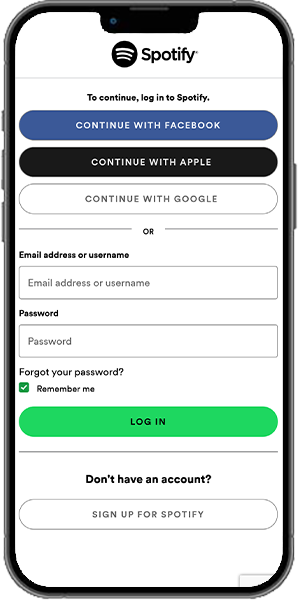
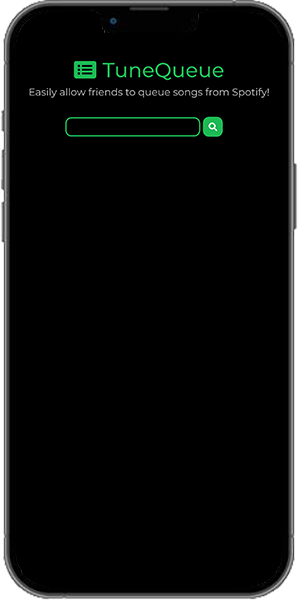
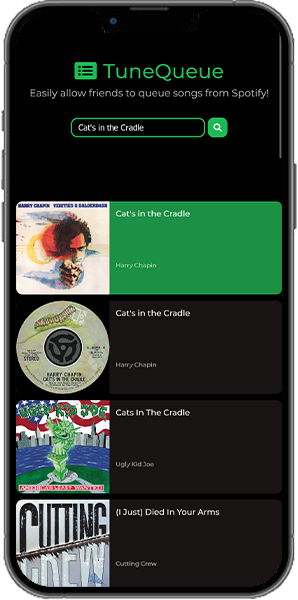
Navigate to the host webpage and authenticate with the same Spotify account that has developer access.
Once authenticated, users will be able to access the remote webpage.
Search any song in the spotify catalog and tap it to add to the host account's queue. It will play on the host's device that is currently playing music.